Everyday reading
Bring supported common formats into one reading workflow, with fewer tools to find for occasional files.
NurViewer · Windows
600+ formats. One versatile viewer.
Read a chapter. Make sense of a report. Hear a new phrase.
Bring reading, lookup, recognition and useful work into your own rhythm.
Many everyday tools stay free · no Free trial expiry
Windows available in Microsoft Store
Android coming soon · iOS and macOS planned

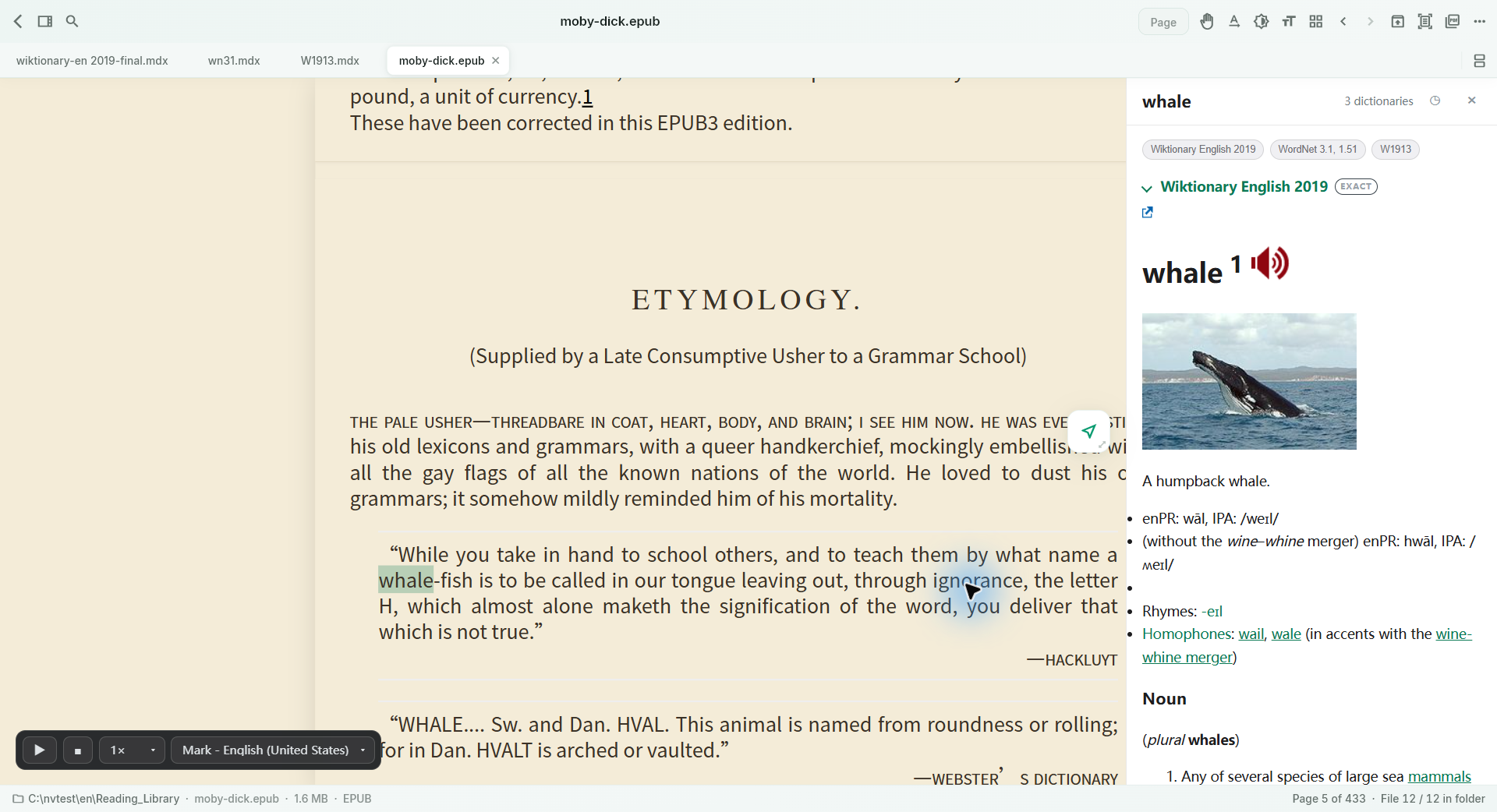 Actual reading & lookup · this capture retains an earlier layout ↗
638 counts registered extensions and aliases, including viewing, basic preview and information inspection. Check the capability of each type. 638 formats →
AN ONGOING FREE EDITION
Free has no trial expiry. Keep using common-format reading, ordinary PDF annotations and supported ordinary document/image-to-PDF export. Choose more recognition capacity or advanced workflows when your workload calls for them.
Bring supported common formats into one reading workflow, with fewer tools to find for occasional files.
Use supported ordinary PDF tools to review material and prepare a return copy without buying an upgrade first.
No page quota or watermark within the supported range. EPUB books, OCR, tables and editable conversion have separate limits.
See the plan comparison for first account verification, specialist-format allowances and note/vocabulary counts. See all plan limits →
FOR YOUR EVERYDAY
Language practice, school revision, fewer apps to learn, teaching and team review. Find a workflow that fits your day.

MIDDLE SCHOOL · LANGUAGE LEARNING
Follow supported text with read-aloud, look up a word in your own dictionary and keep useful vocabulary.
Explore the workflow →AI-generated scene · not a customer testimonial
HIGH SCHOOL · STUDY & REVIEW
Review supported course PDFs and reference books, mark a passage and explain it in your own notes.
Explore the workflow →AI-generated scene · not a customer testimonial
OLDER ADULTS · A FAMILIAR WAY IN
Different file formats need not always mean learning another application. Use one familiar starting point to read and view many supported files.
Explore the workflow →AI-generated scene · not a customer testimonial
BUSINESS OWNERS · TEAM MATERIALS
Open supported reports, PDFs, spreadsheets, presentations and pictures in one viewer, then focus the discussion on the work.
Explore the workflow →AI-generated scene · not a customer testimonial
TEACHING · REFERENCE MATERIAL
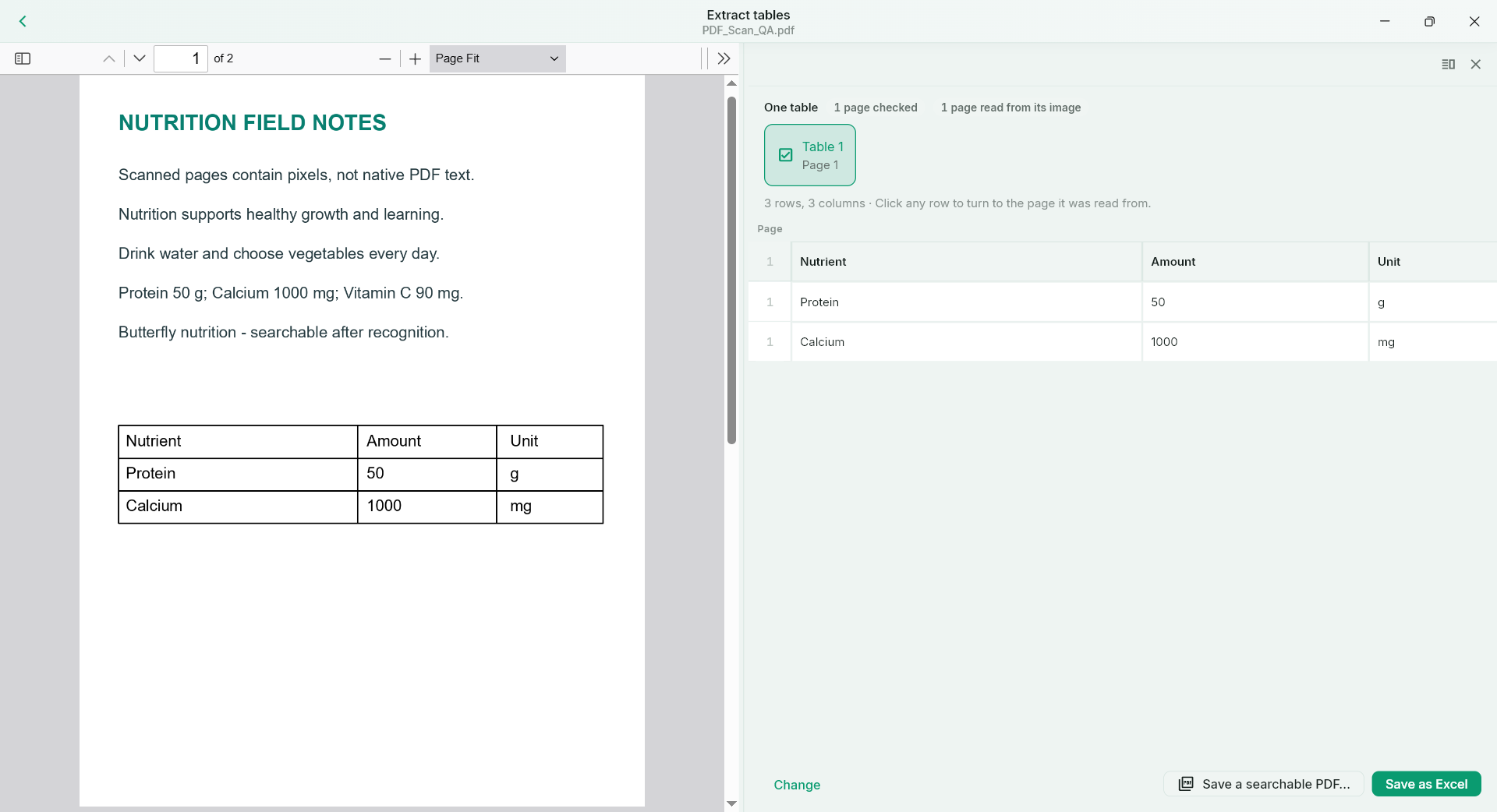
Recognise a scanned passage, review the text and bring useful material into your preparation.
Explore the workflow →AI-generated scene · not a customer testimonial
REPORTS · EVERYDAY OFFICE WORK
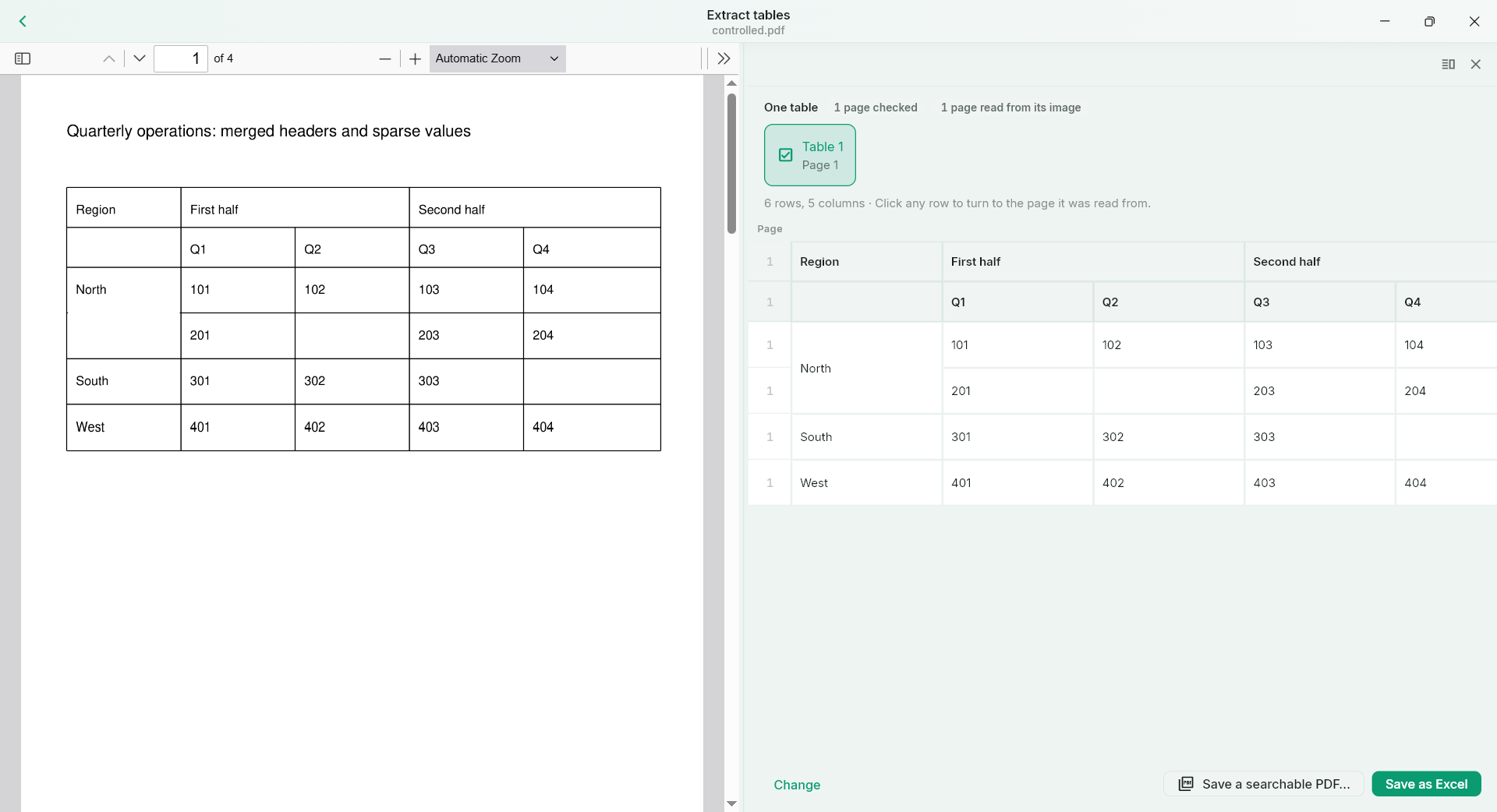
Recognise a supported report table, check the cells against the source and continue in Excel.
Explore the workflow →AI-generated scene · not a customer testimonial
EVENING READING
Read a book, look up an unfamiliar word and keep a useful thought with its source.
Explore the workflow →AI-generated scene · not a customer testimonial
PDF · THE WORK IN FRONT OF YOU
Read a supported PDF, add annotations, complete its form and prepare the copy you need to return.
Explore the workflow →AI-generated scene · not a customer testimonialFOREIGN LANGUAGES · LISTEN & REPLAY
Find a phrase in existing subtitles, jump to it and use A–B replay to listen with a purpose.
Explore the workflow →AI-generated scene · not a customer testimonialRESEARCH · FIND THE SOURCE
Search supported file text, open the matching source and read the surrounding argument.
Explore the workflow →AI-generated scene · not a customer testimonialDOCUMENTS · KEEP THE WORK MOVING
Choose editable flow for rewriting, or precise Word when preserving the supported page appearance matters.
Explore the workflow →AI-generated scene · not a customer testimonial
PHOTOGRAPHY · SELECT & ORGANISE
Inspect supported images, compare details and use ratings to narrow your candidates.
Explore the workflow →AI-generated scene · not a customer testimonialSTART WITH YOUR TASK
Books, phonetic-symbol OCR and complex tables each have a clear starting point. Related tools connect without hiding their individual purpose.
Read the book you already have, in the form it arrived.
10 focused guides →02Recover useful text, including the details language learners cannot afford to lose.
4 focused guides →03Recover relationships between cells, not just a pile of characters.
4 focused guides →04Keep the meaning, the context and your own discoveries together.
4 focused guides →05Move from a finished page to the next useful document.
6 focused guides →06Turn a difficult line into something you can revisit and understand.
3 focused guides →07Reach the useful file without reorganising an entire collection first.
3 focused guides →08Find a passage even when the filename is forgotten.
1 focused guides →09Handle groups of files and verify what changed.
2 focused guides →10Make unfamiliar files easier to inspect and useful documents easier to find.
3 focused guides →THE EVERYDAY PDF
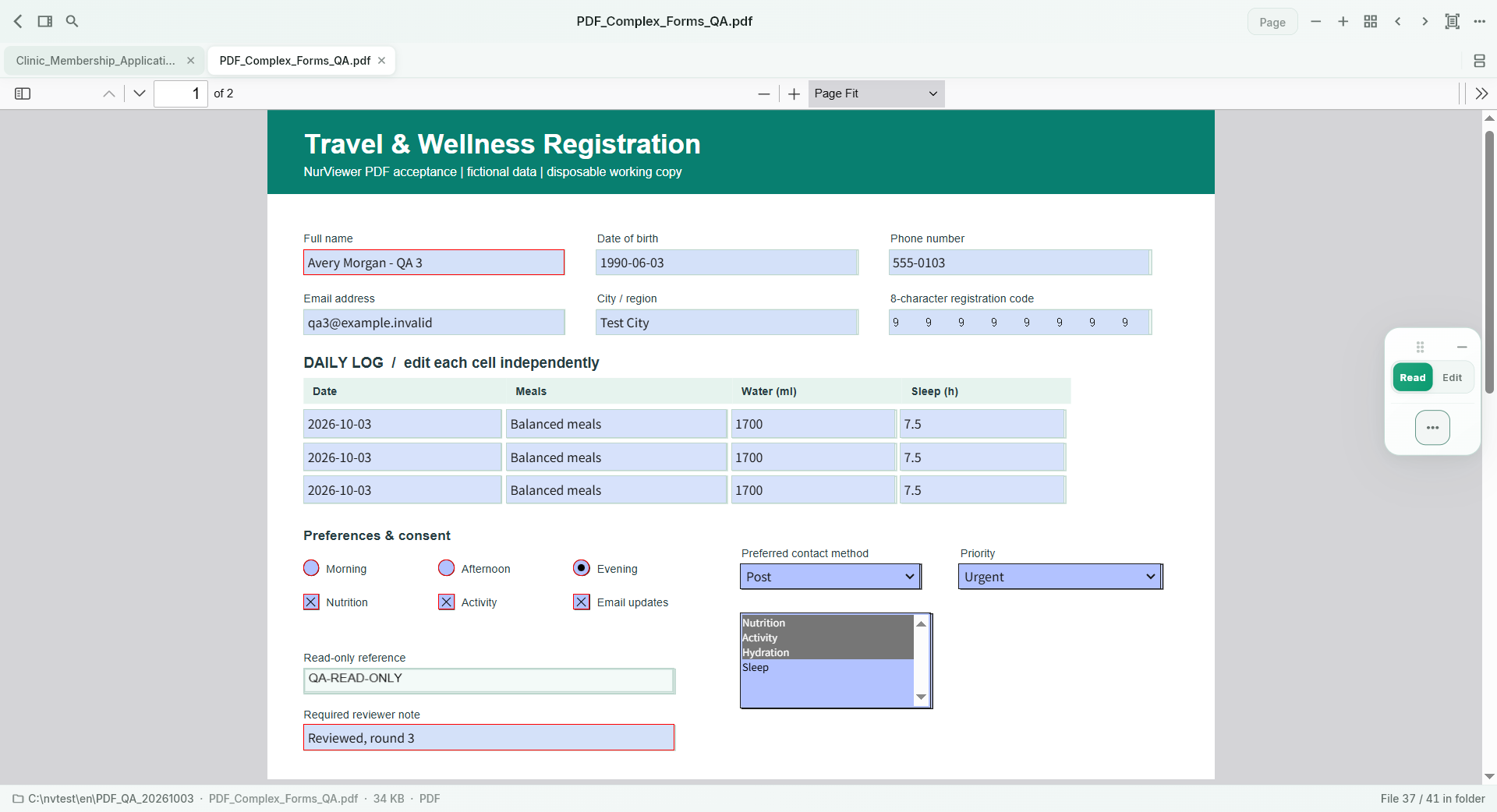
Reading, comments, forms and handwritten signatures belong in the same workflow. Keep the document open and keep moving.
TEXT, TABLES, LESS TYPING
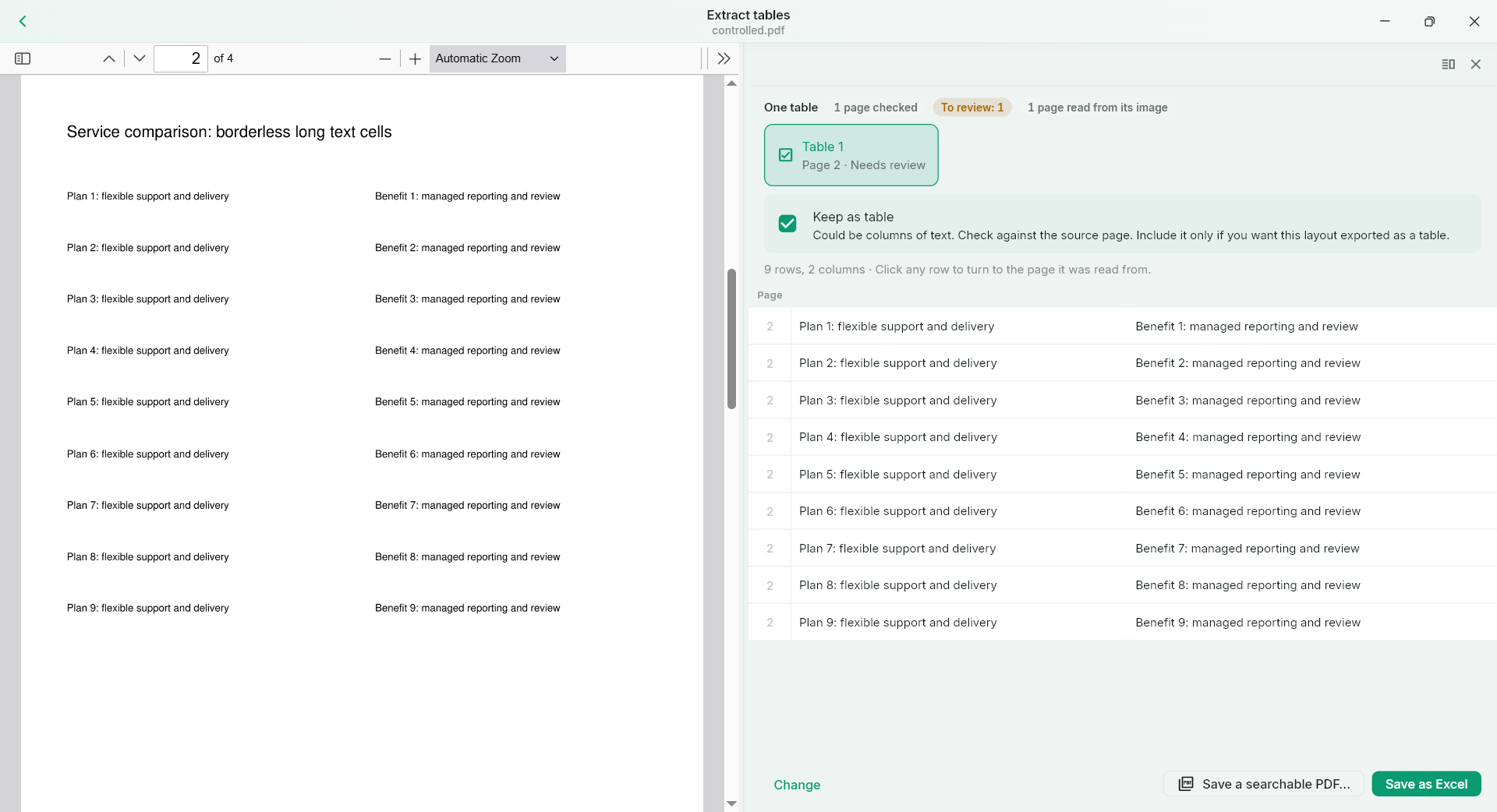
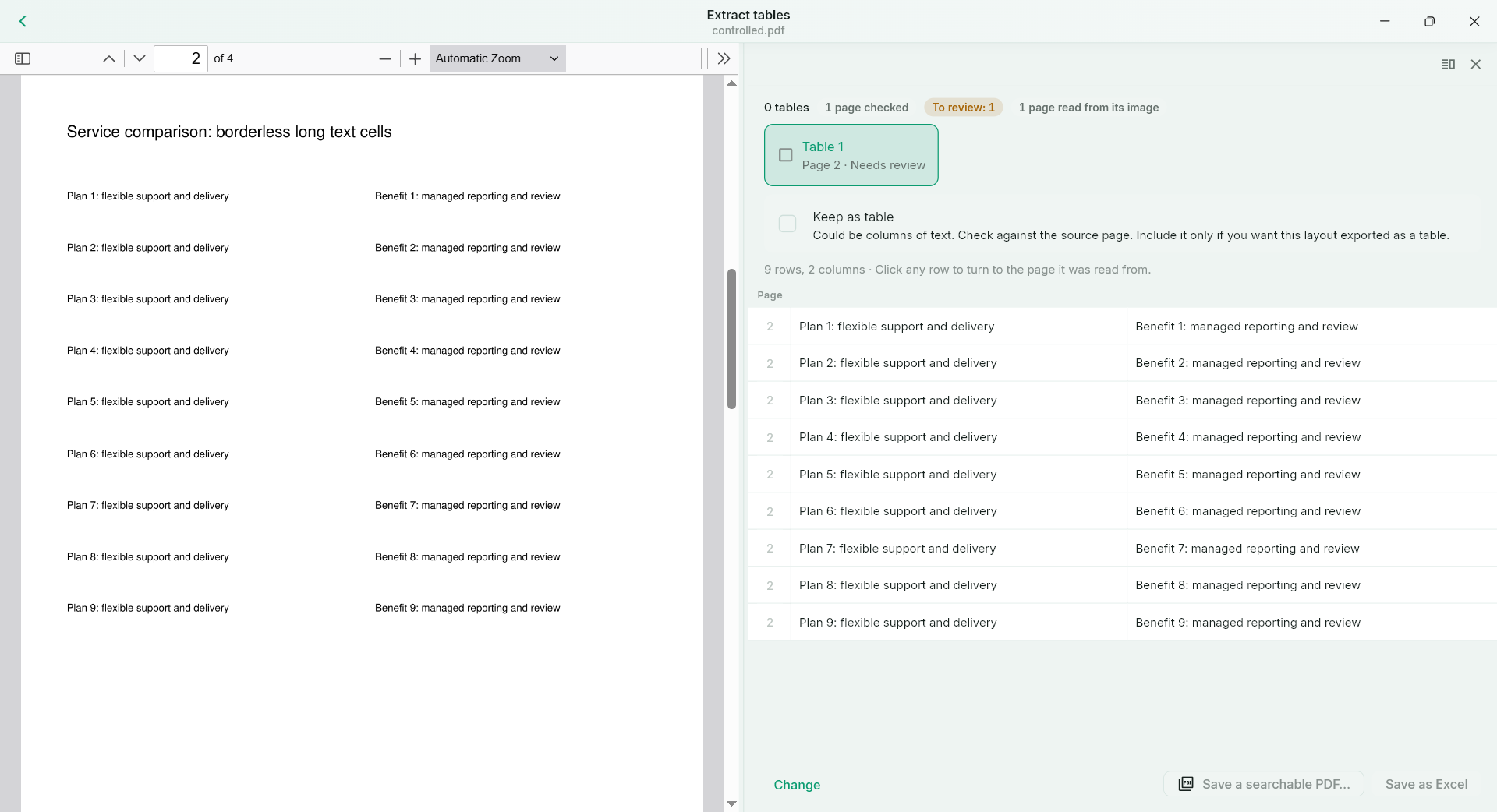
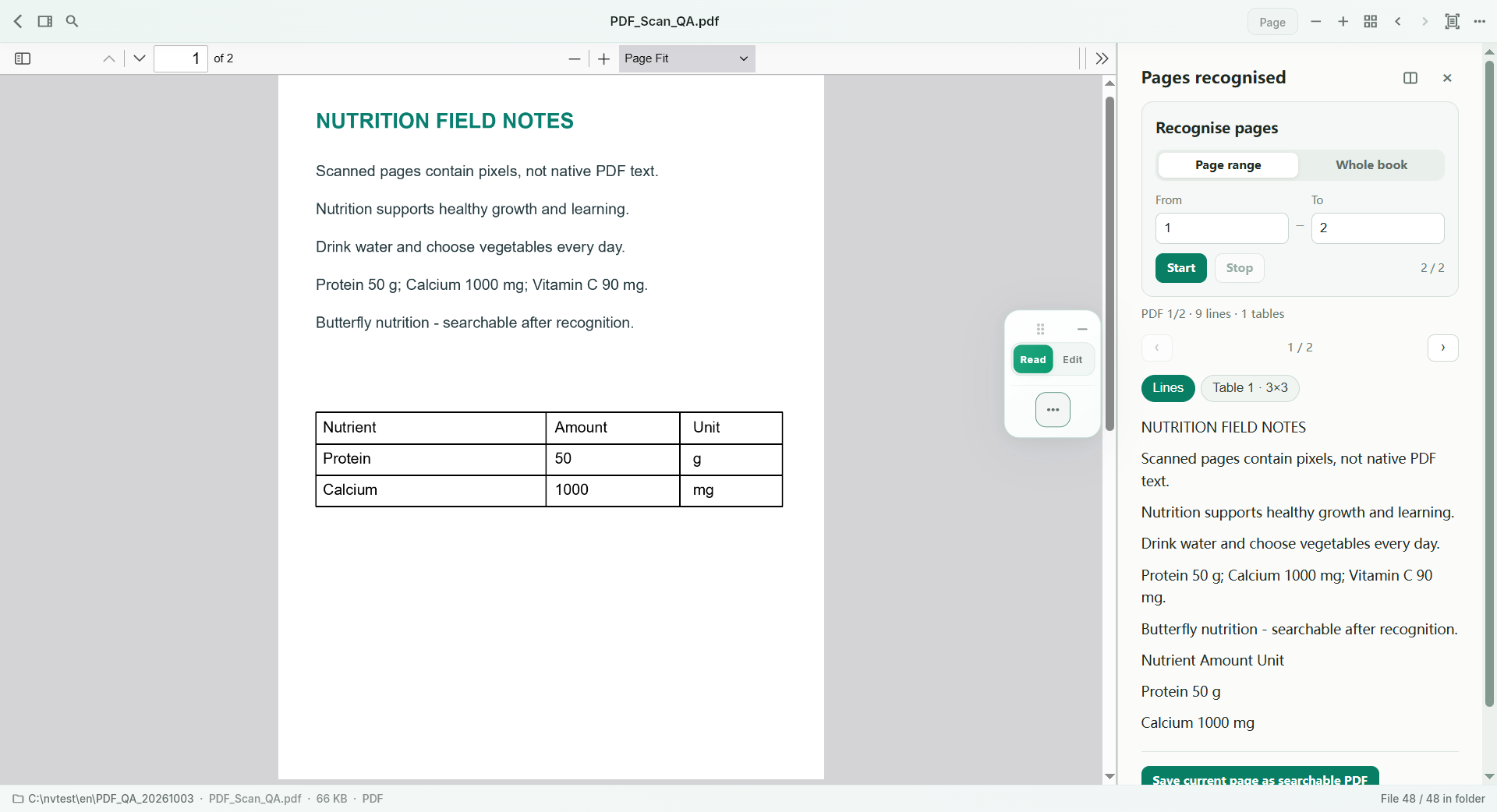
Read text from a scan or selected area. Recover useful rows and columns, check the preview, and continue in Excel.
MAKE IT EDITABLE
Choose editable flow for rewriting, or precise page layout when the original appearance matters. Two different jobs, two deliberate modes.
For rewriting paragraphs, working with tables and letting the text reflow.
For preserving page appearance and editing supported native text in place.
KEEP THE THOUGHT
Books, dictionary lookup, vocabulary and reading notes work together, so useful discoveries have somewhere to go.
FIND IT AGAIN
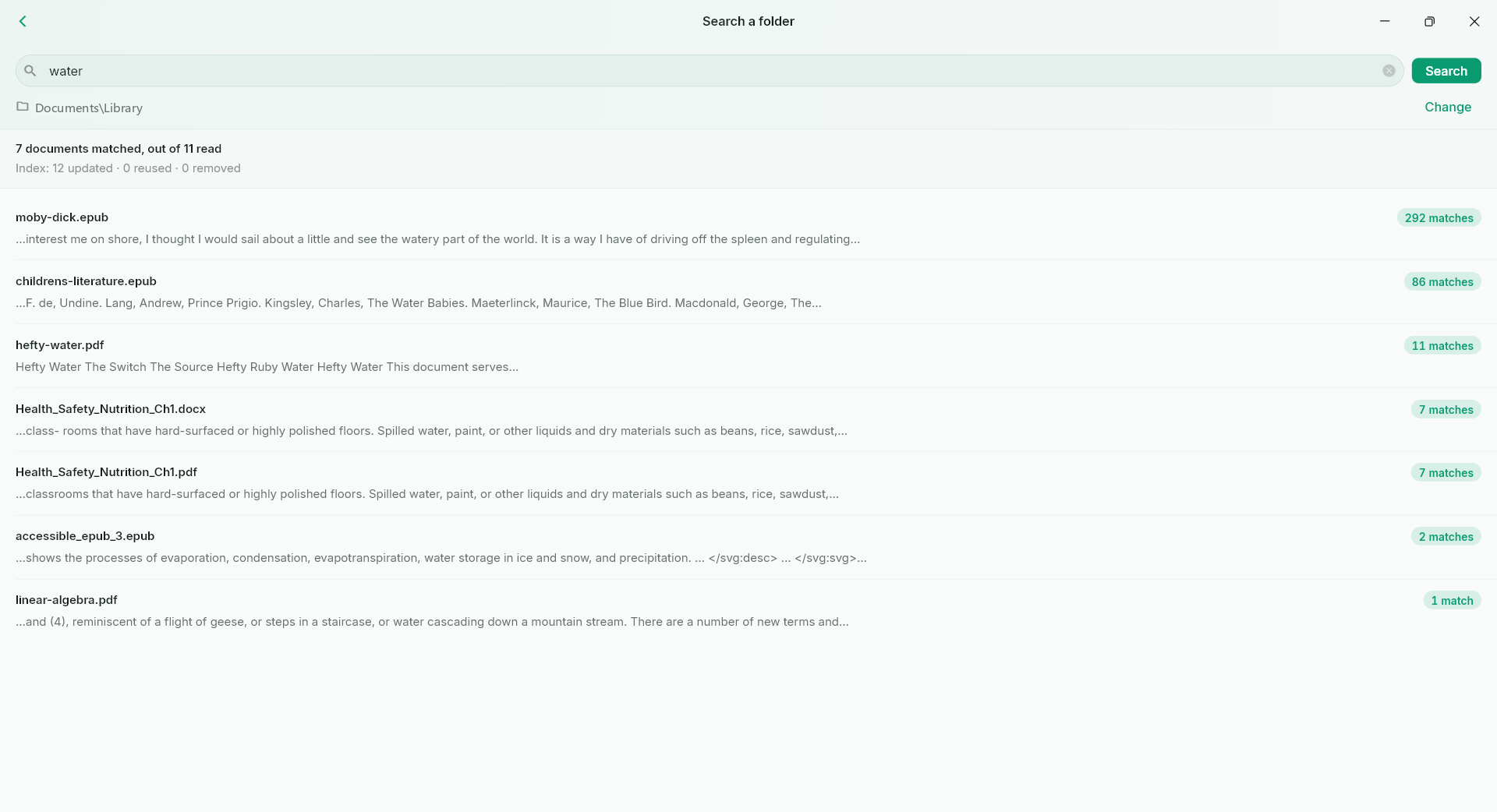
Search names or extractable text across a folder. See what is being checked and what could not be searched.
THE REST OF THE TOOLBOX
Explore by task, then check the full capability and format guides.
Reading, comments, forms and handwritten signatures belong in the same workflow. Keep the document open and keep moving.
Explore this workflow →Read text from a scan or selected area. Recover useful rows and columns, check the preview, and continue in Excel.
Explore this workflow →Choose editable flow for rewriting, or precise page layout when the original appearance matters. Two different jobs, two deliberate modes.
Explore this workflow →Books, dictionary lookup, vocabulary and reading notes work together, so useful discoveries have somewhere to go.
Explore this workflow →Search names or extractable text across a folder. See what is being checked and what could not be searched.
Explore this workflow →Play supported media, search available subtitles, jump to a line and repeat a chosen section with A–B looping.
Explore this workflow →Inspect ordinary pictures, RAW and supported specialist files. Use the tools suited to the file, rather than treating every format as the same picture.
Explore this workflow →Queue supported files for PDF export, or compare supported document revisions to see what changed. Pro tools for work that comes in sets.
Explore this workflow →LOCAL FIRST
Ordinary viewing, search, OCR and conversion do not require uploading document content to the NurViewer account service. Sign-in, licensing and quotas use the account service.
BEFORE YOU CHOOSE
No. The count is registered file extensions and aliases. Dedicated viewing, basic preview, system decoding and information inspection are different capabilities. Text search, editing and conversion have their own supported ranges.
Ordinary local viewing, OCR, search and conversion operate on the device and do not require uploading document content to the NurViewer account service. Sign-in, licence verification and quotas use the account service. User-chosen external links and services have their own behaviour.
Free does not expire. Initial Windows use requires Google or Microsoft account verification. Common-format reading and ordinary document/image PDF export are unlimited; advanced processing has the published limits.
Supported EPUB PDF export and Word/PowerPoint delivery retain progress. Word/PowerPoint parts can be saved as a cumulative document. Daily allowances still apply to new processing; saving retained completed output does not consume it again.
No automatic OCR is started. Search covers extractable text, including embedded OCR text layers. Coverage and skip reasons are visible in search records.
NurViewer for Windows is available in Microsoft Store. Android is coming soon. iOS and macOS are planned. The download page links to the official listing. Future subscriptions, cloud sync, translation, speech recognition and full Office/image editing are not advertised as included current features.

TIME FOR THE THINGS THAT MATTER
Something learned. A task moved forward.
And places to discover, together.