Searchable types are explicit
Content search covers supported text, PDF text layers, EPUB and selected Office / ODF formats. Viewing support is a larger list.
NurViewer · Find your files
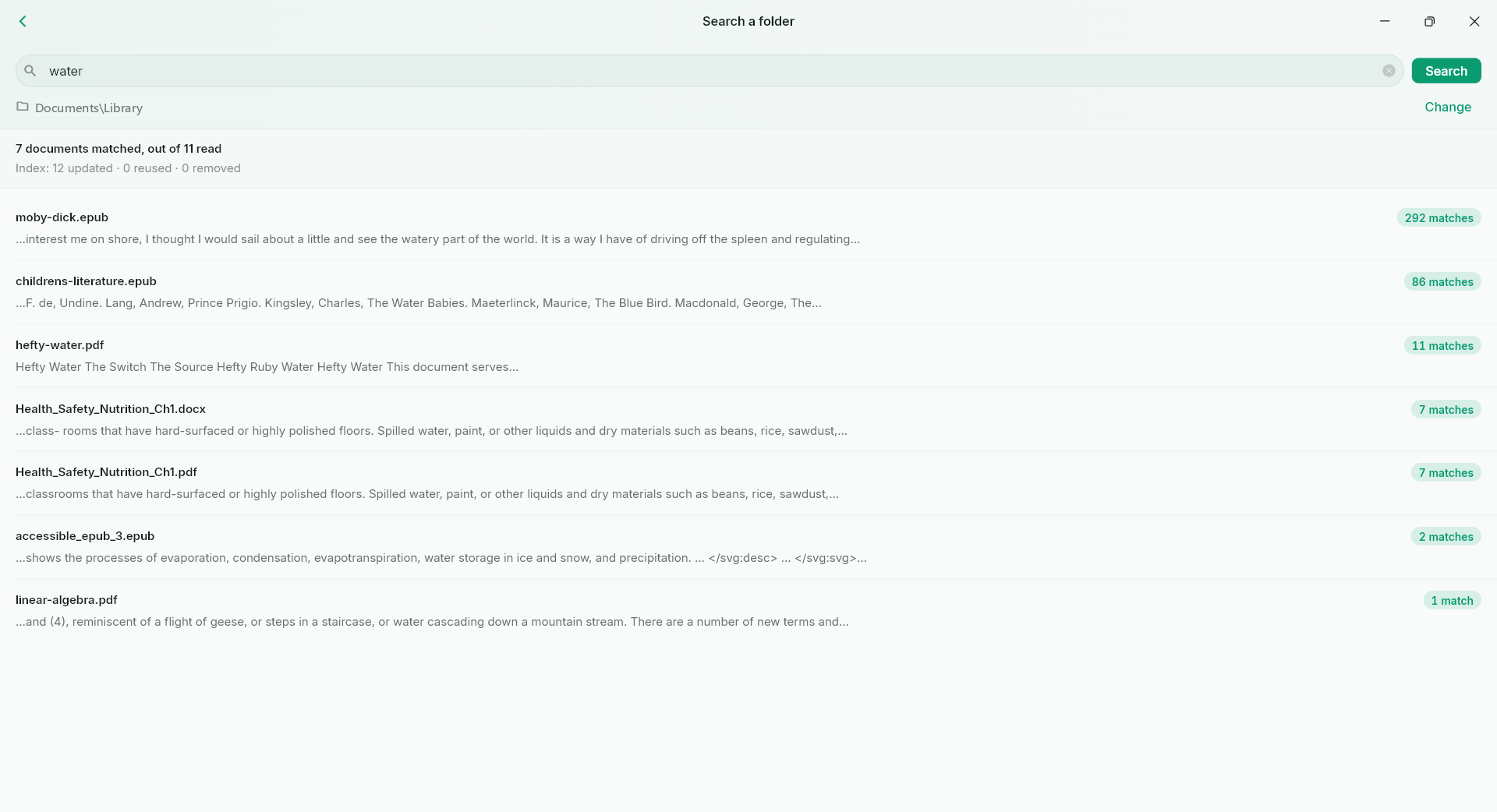
Search names or extractable text across a folder. See what is being checked and what could not be searched.
WHY IT HELPS
For research folders, project documents and the useful paragraph hiding somewhere in your library.
Content search covers supported text, PDF text layers, EPUB and selected Office / ODF formats. Viewing support is a larger list.
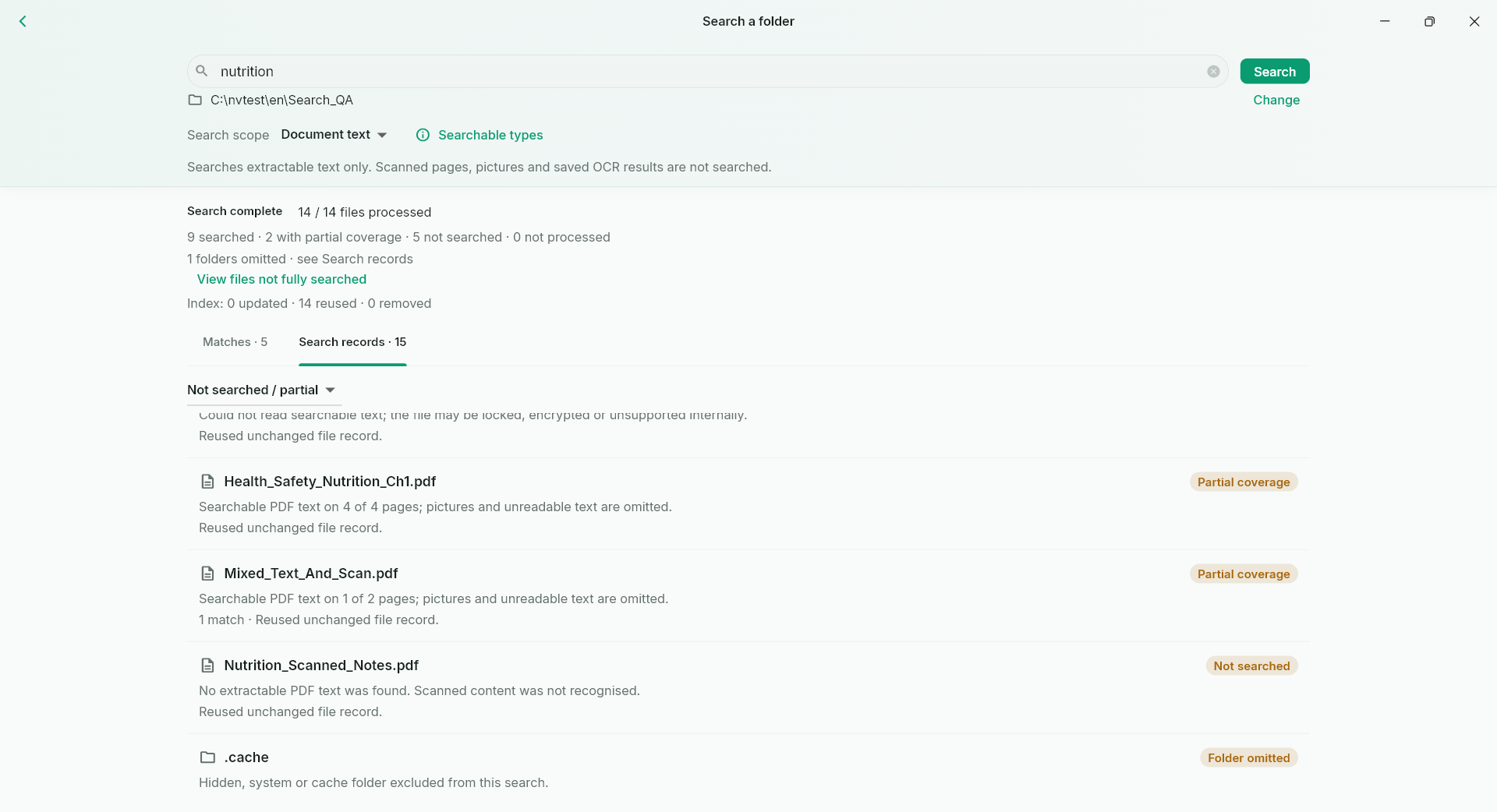
See the current file, processed/discovered file counts and the reading or matching stage.
Matches include useful context. Search records explain partial coverage, unsupported files and skipped documents.
Wait for a large file, skip only the current file, or stop the search while retaining existing results.
Content search skips pages without extractable text and does not start OCR. Embedded OCR text layers can be searched.
Standard keeps an index for the search session. Pro retains an incremental local index for later searches.
THE WORKFLOW, UP CLOSE
Switch samples, then open the full image to inspect the details. Captures use demonstration material; some retain an earlier layout.
What to expect
Not every viewable format is text-searchable. Scans, images inside documents, encrypted files and unsupported formats can have incomplete or no content coverage; records make that visible.
NurViewer · Windows
Explore the Windows workflows, compare the current plans and check verified release availability.