Text and scans
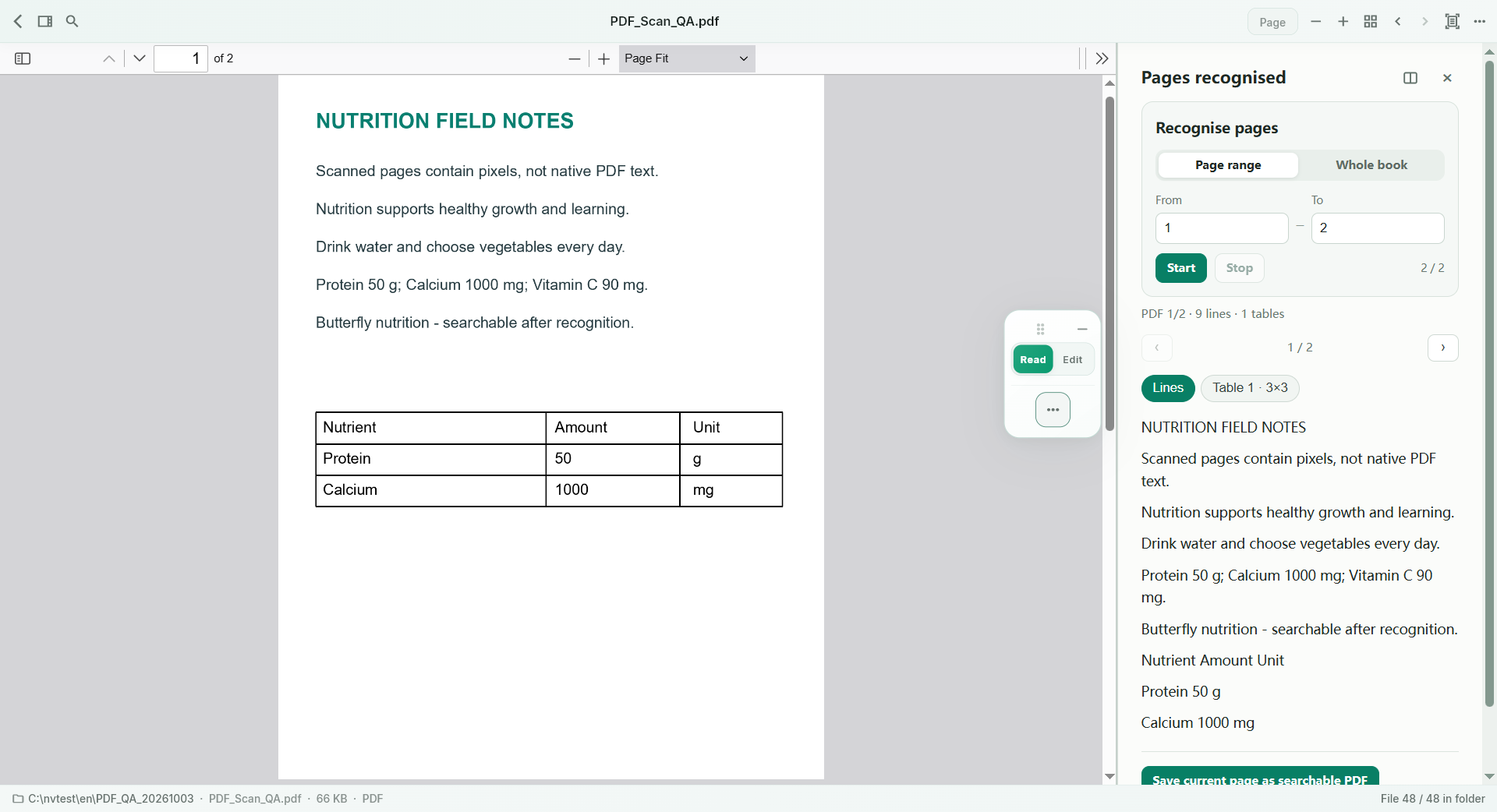
Use native PDF text where available; local OCR reads selected images and scanned pages.
NurViewer · OCR & tables
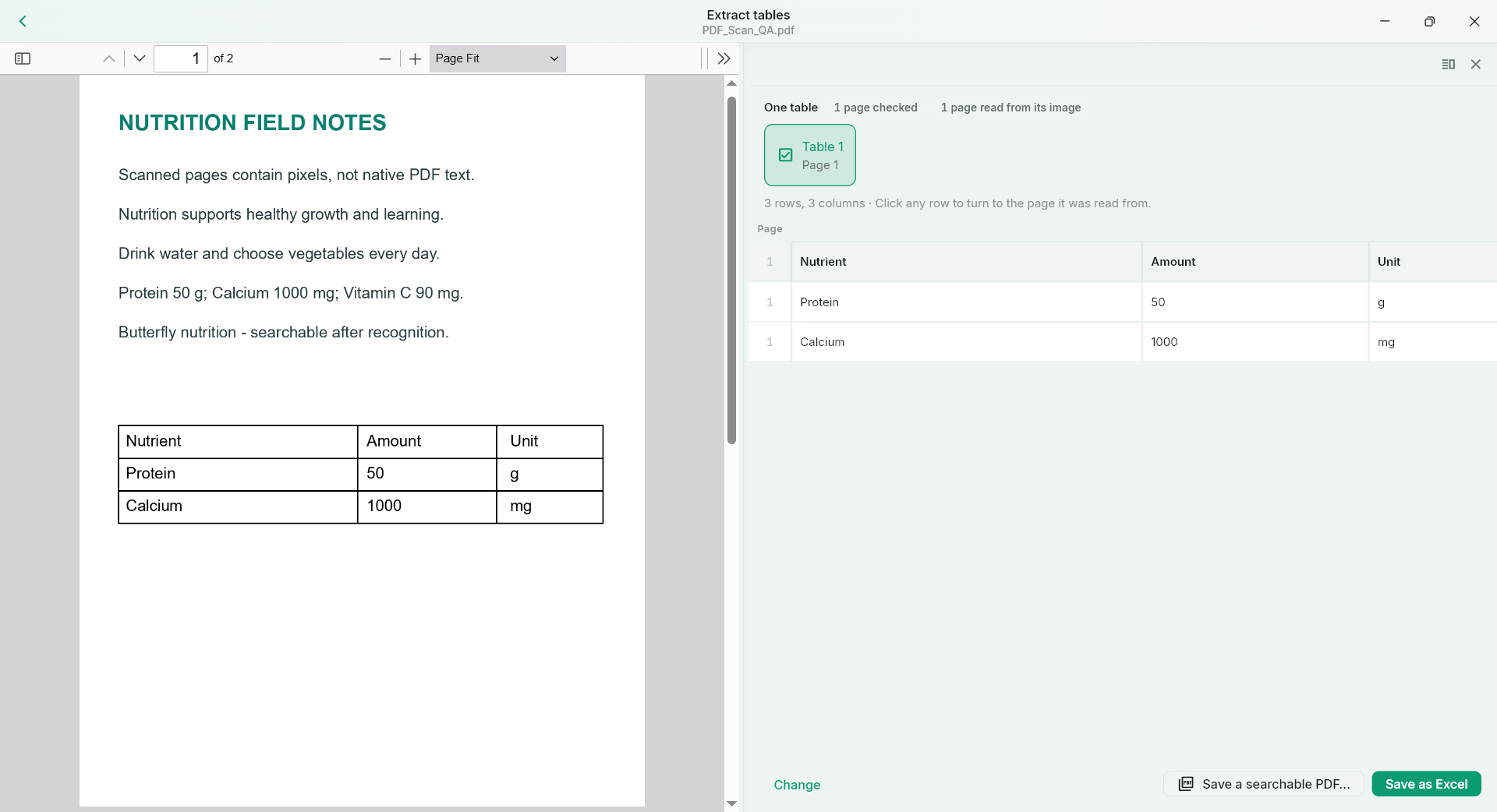
Read text from a scan or selected area. Recover useful rows and columns, check the preview, and continue in Excel.
WHY IT HELPS
Useful for reports, comparison sheets, research tables and reference material that arrived as pixels.
Use native PDF text where available; local OCR reads selected images and scanned pages.
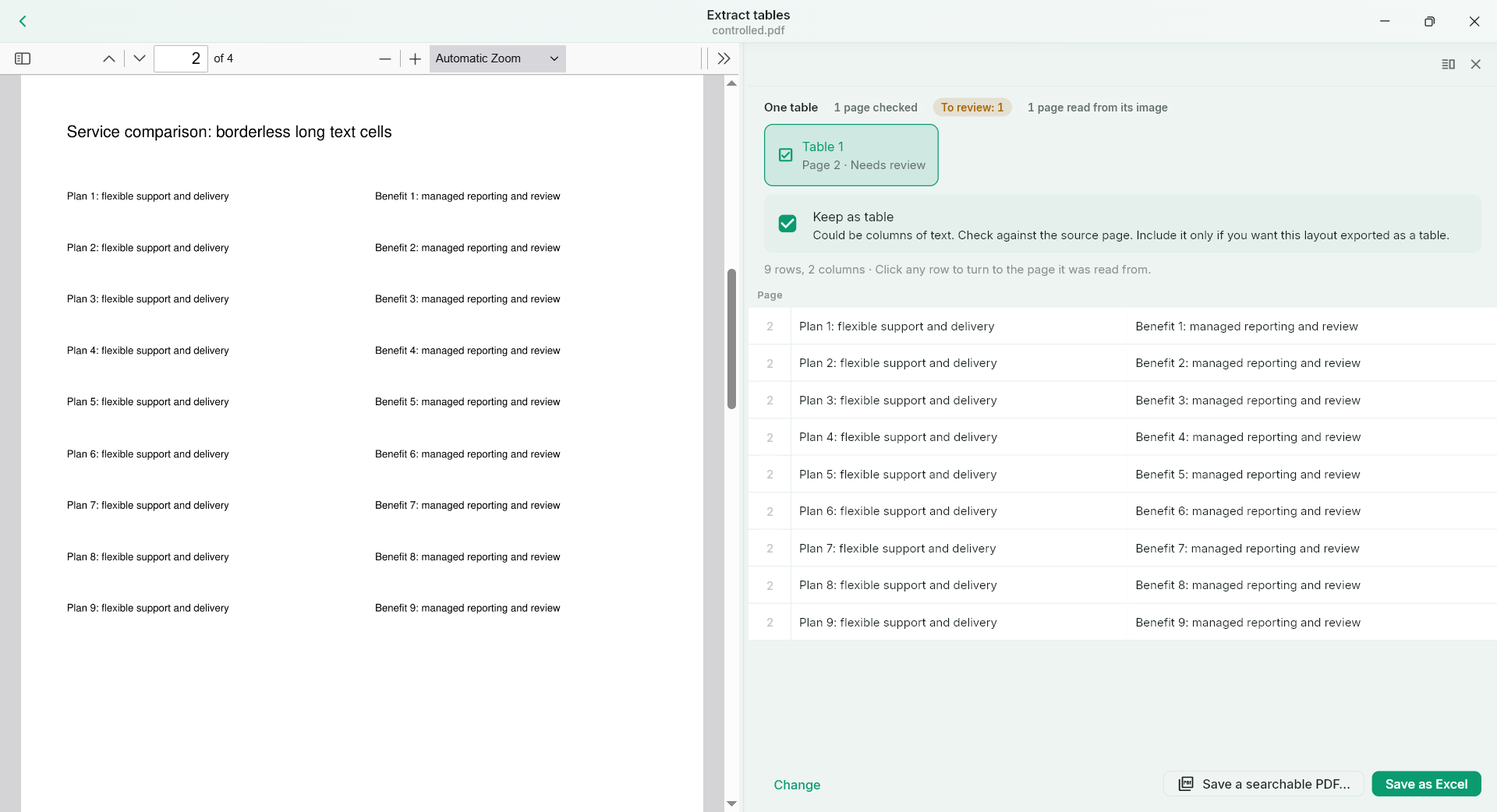
Grid evidence and aligned content support table detection. Compare the output with the original before saving.
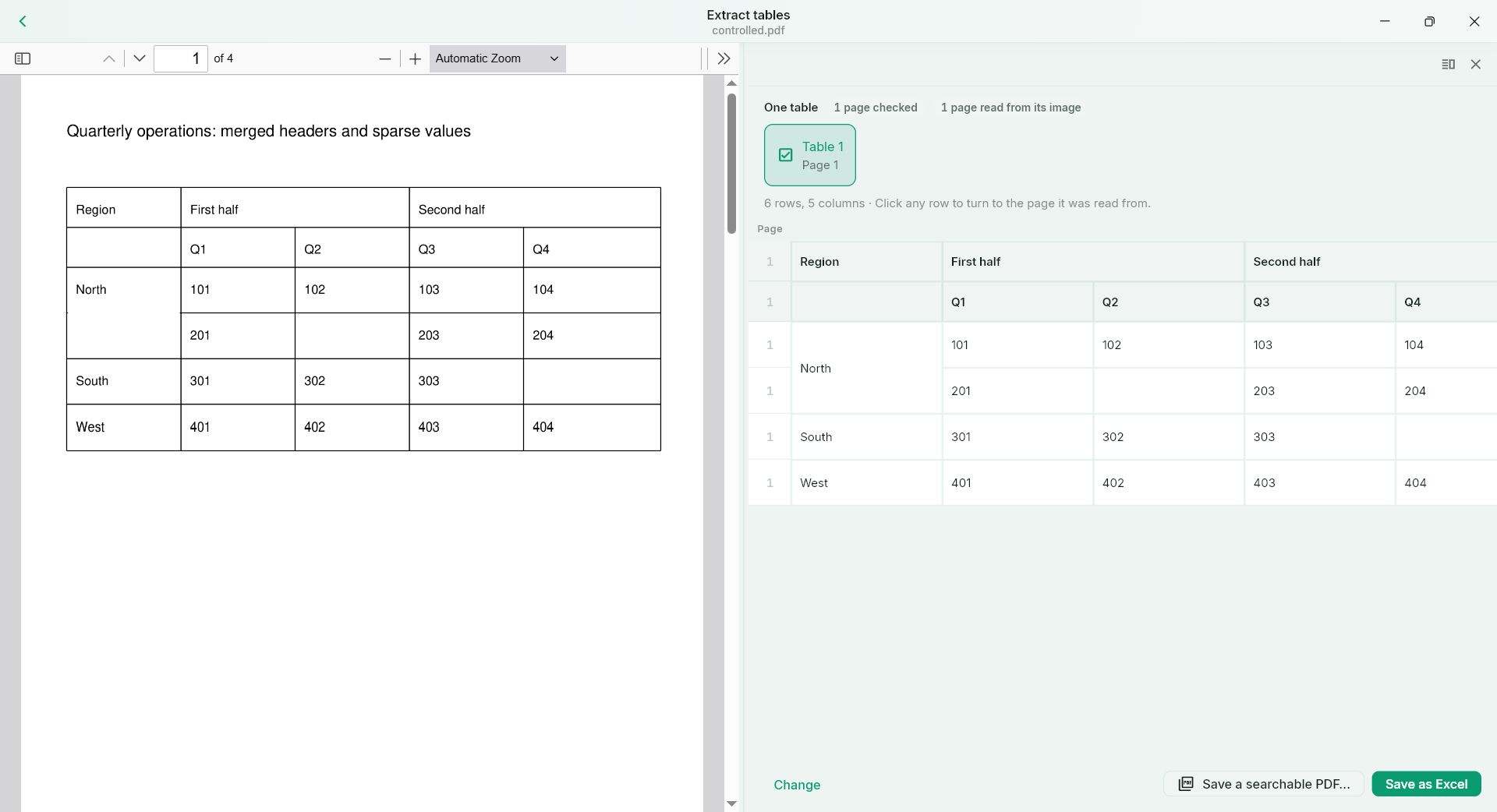
Supported structured tables retain useful merged regions, row/column relationships and blank cells.
Compatible table fragments can be stitched across pages, with repeated headers handled during assembly.
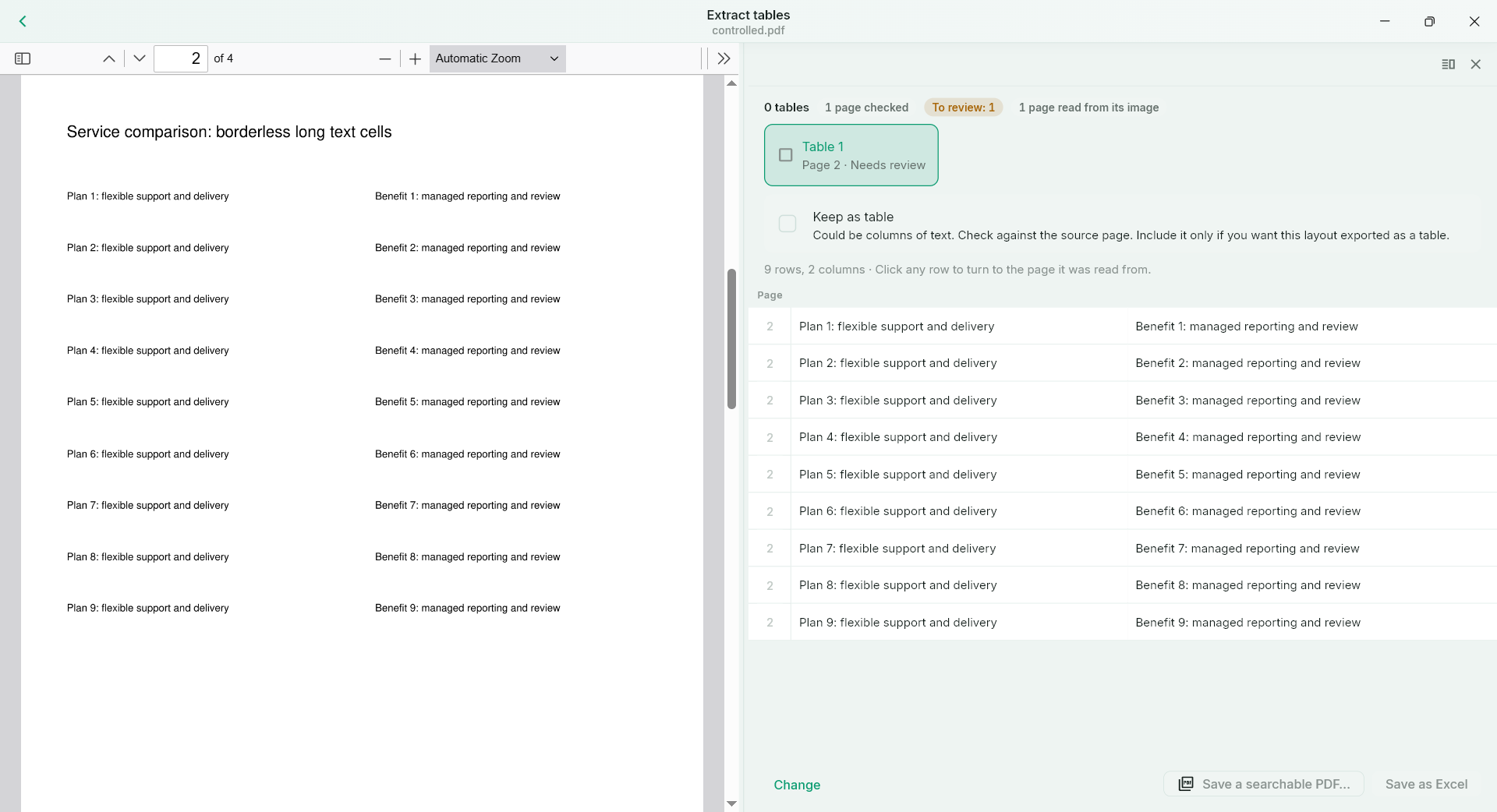
A table-like layout is not always a table. Review candidates and choose Keep as table when that is the result you need.
Copy or save text, export supported tables to XLSX, and create a searchable PDF from recognised content.
What to expect
Small digits, poor scans, dense matrices and unusual symbols need careful checking. Manual confirmation chooses the purpose of a candidate; it does not repair incorrect characters or column boundaries. Folder search does not automatically OCR scans.
NurViewer · Windows
Explore the Windows workflows, compare the current plans and check verified release availability.