
NurViewer · PDF & conversion
Precise-layout PDF to Word
A reflowed Word file can be easy to rewrite but look very different from the original report. Sometimes the task is to change supported wording while keeping the familiar page appearance.
THE PRACTICAL VALUE
Why this step deserves its own workflow
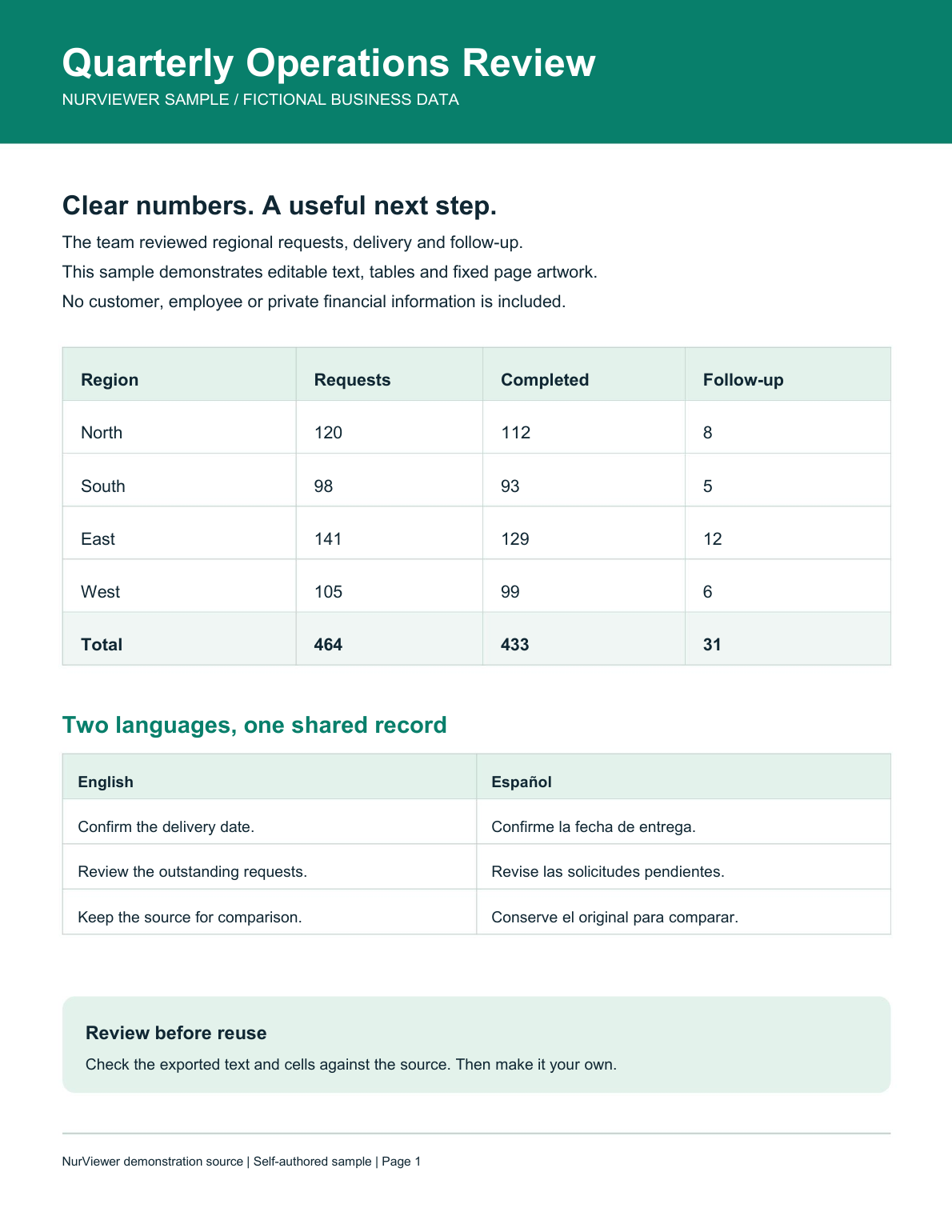
Precise mode keeps page artwork as a background and places supported native text in editable frames at its original position. This deliberate trade-off prioritises page appearance. It is useful when the structure of the finished page matters more than freely reflowing long paragraphs.
A PRACTICAL SEQUENCE
Start with the material you actually need.
Check representative material before deciding how much more to process.
- Choose precise-layout Word export and the required pages.
- Inspect native text frames and graphic backgrounds.
- Review the exported document in the editor you will actually use.
EDITION & SCOPE
Know the scope before you commit.
Pro uses the shared conversion allowance; Standard offers 2 watermarked trial pages/day within its pool; Free has no precise mode. Scans and unsupported lettering remain pictures. Fixed frames, font replacement and edits can affect layout.
Free has no trial expiry: common-format reading, ordinary PDF annotations and supported ordinary document/image-to-PDF export remain available. Recognition, specialist formats and advanced tools have their own allowances or tier requirements.
Compare Free, Standard and Pro →Images may retain historical layouts. Demonstration books, dictionaries and media are not bundled.
A USEFUL QUESTION
Does precise mode make every scanned word editable?
No. It edits supported native text. Scanned lettering remains page imagery; choose an appropriate OCR/flow workflow when text reconstruction is needed.
CONTINUE THE WORKFLOW
A useful next step.
Keep reading, understanding and organising around the same material.
PDF & conversion
Editable PDF to Word
You need to rewrite a report, not just place a picture of it inside Word. A fixed page is a poor starting point when paragraphs, headings and tables need to move with your changes.
Explore the workflow →PDF & conversion
PDF to PowerPoint
Reference material arrives as a PDF, but the next task is a presentation. Starting every slide from an empty canvas repeats the extraction and organisation work before you can explain the idea.
Explore the workflow →PDF & conversion
PDF highlights & review
Feedback scattered across email messages is hard to reconnect with a page. A reader needs to see what matters and leave a clear explanation where the issue actually appears.
Explore the workflow →