
NurViewer · PDF & conversion
PDF forms & handwritten signatures
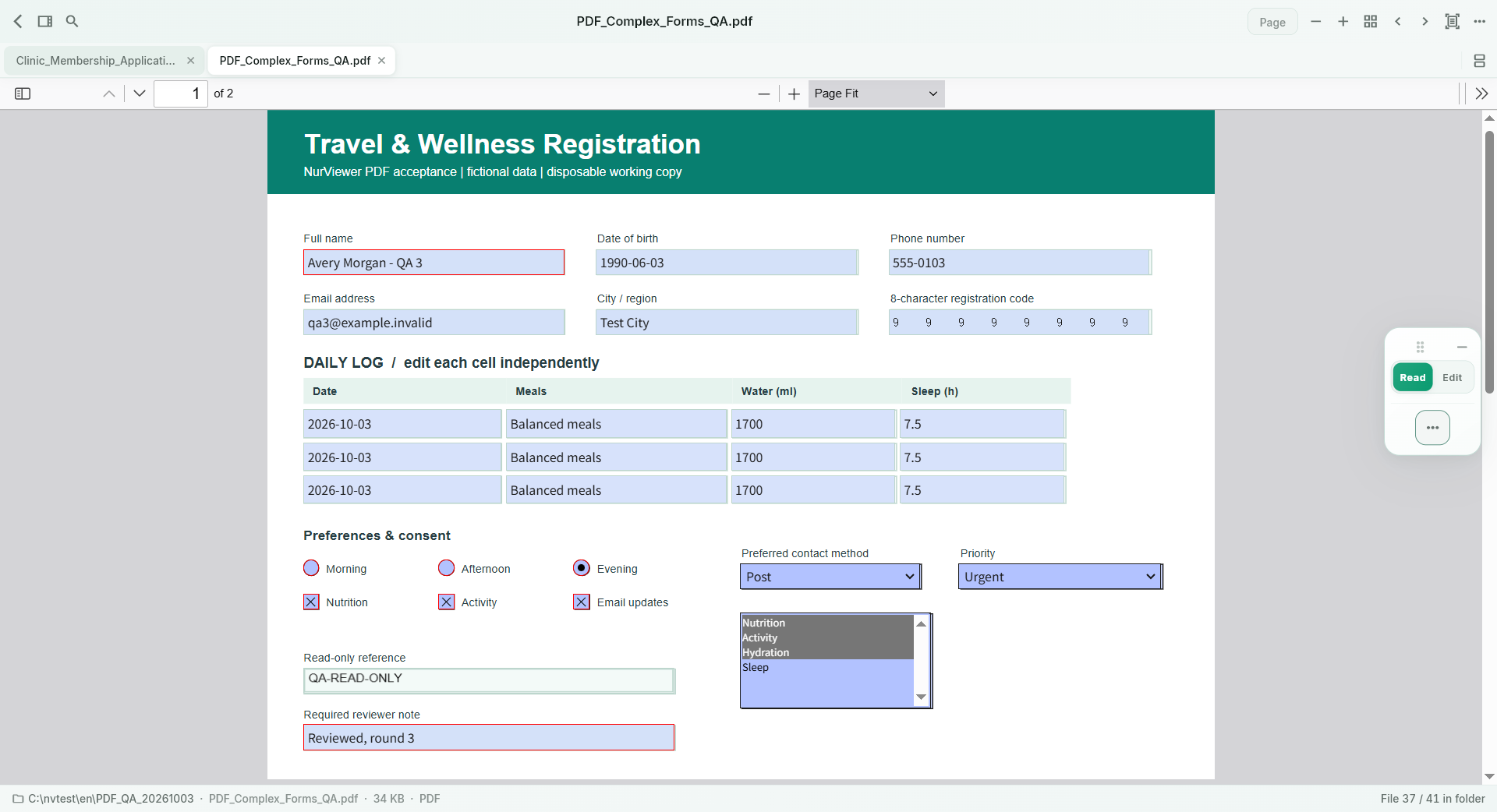
A form arrives as a PDF and asks for a few answers and a signature. Printing, handwriting and scanning it back adds several steps just to return a simple document.
THE PRACTICAL VALUE
Why this step deserves its own workflow
Fill supported interactive fields or add text to supported static forms. Add ticks, dates and a reusable local handwritten signature, then save a new PDF. Keeping these tasks in the reader helps you prepare a clean return copy while retaining the original as a reference.
A PRACTICAL SEQUENCE
Start with the material you actually need.
Check representative material before deciding how much more to process.
- Check whether the form has interactive fields or needs added text.
- Fill the answers and add your handwritten signature if appropriate.
- Review placement and save a new PDF.
EDITION & SCOPE
Know the scope before you commit.
Basic fill/sign is available in Free. A handwriting image is not a cryptographic digital signature or identity verification. Check the recipient’s requirements and existing document protections.
Free has no trial expiry: common-format reading, ordinary PDF annotations and supported ordinary document/image-to-PDF export remain available. Recognition, specialist formats and advanced tools have their own allowances or tier requirements.
Compare Free, Standard and Pro →Images may retain historical layouts. Demonstration books, dictionaries and media are not bundled.
A USEFUL QUESTION
Must I print a supported form to add handwriting?
No. The local signature workflow can prepare a PDF copy directly, if the recipient accepts that form of signature.
CONTINUE THE WORKFLOW
A useful next step.
Keep reading, understanding and organising around the same material.
PDF & conversion
PDF highlights & review
Feedback scattered across email messages is hard to reconnect with a page. A reader needs to see what matters and leave a clear explanation where the issue actually appears.
Explore the workflow →PDF & conversion
Documents & images to PDF
A recipient wants one convenient PDF, but your source is a document or a collection of images. Hunting for a separate converter for an everyday task adds unnecessary friction.
Explore the workflow →PDF & conversion
PDF to PowerPoint
Reference material arrives as a PDF, but the next task is a presentation. Starting every slide from an empty canvas repeats the extraction and organisation work before you can explain the idea.
Explore the workflow →