
NurViewer · Books & reading
Find a passage in a long book
You remember a phrase but not its chapter. Repeatedly scrolling through a long book can cost more attention than the passage itself, especially when you return to it days after reading.
THE PRACTICAL VALUE
Why this step deserves its own workflow
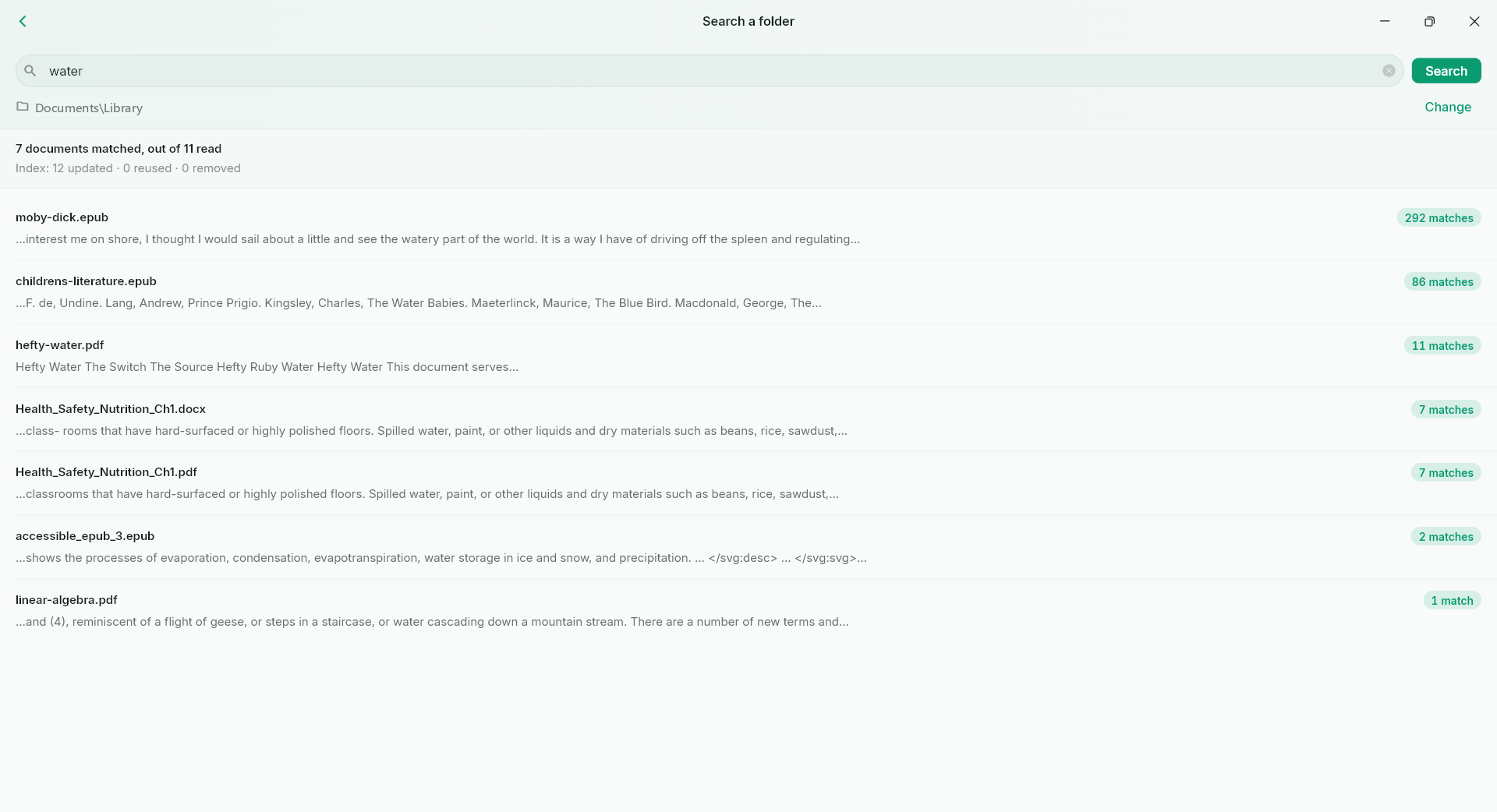
Use the text search available in the current reader to find terms and return to their context. In supported EPUB and text-layer PDF workflows, search is a way back into the argument, not just a matching word. Keep an important discovery in notes so the next review starts with your own explanation.
A PRACTICAL SEQUENCE
Start with the material you actually need.
Check representative material before deciding how much more to process.
- Search for a distinctive term rather than a very common word.
- Open a match and read the surrounding paragraph.
- Keep the source and your interpretation in a reading note.
EDITION & SCOPE
Know the scope before you commit.
Search requires usable text and varies by reading engine. Image-only scans are not automatically recognised; ebook search and folder-wide content search have different support ranges.
Free has no trial expiry: common-format reading, ordinary PDF annotations and supported ordinary document/image-to-PDF export remain available. Recognition, specialist formats and advanced tools have their own allowances or tier requirements.
Compare Free, Standard and Pro →Images may retain historical layouts. Demonstration books, dictionaries and media are not bundled.
A USEFUL QUESTION
Why does a visible scanned word have no search result?
A visible page can be only pixels. Use an appropriate OCR workflow first when you need searchable text.
CONTINUE THE WORKFLOW
A useful next step.
Keep reading, understanding and organising around the same material.
Dictionaries & knowledge
Long-form reading notes
A highlighted sentence is easy to collect and easy to forget. Real study also needs your explanation, an illustration, a comparison table and enough space to connect them.
Explore the workflow →OCR & phonetic symbols
Make scanned PDFs searchable
A scan can preserve a page perfectly while hiding every word from search. Months later, finding one term in a thick report becomes a manual page-by-page task.
Explore the workflow →Find across files
Search inside a folder of documents
You remember the topic but not the filename. A folder full of reports is difficult to search when the useful clue is inside a paragraph rather than in the name of the file.
Explore the workflow →