
NurViewer · Find across files
Search inside a folder of documents
You remember the topic but not the filename. A folder full of reports is difficult to search when the useful clue is inside a paragraph rather than in the name of the file.
THE PRACTICAL VALUE
Why this step deserves its own workflow
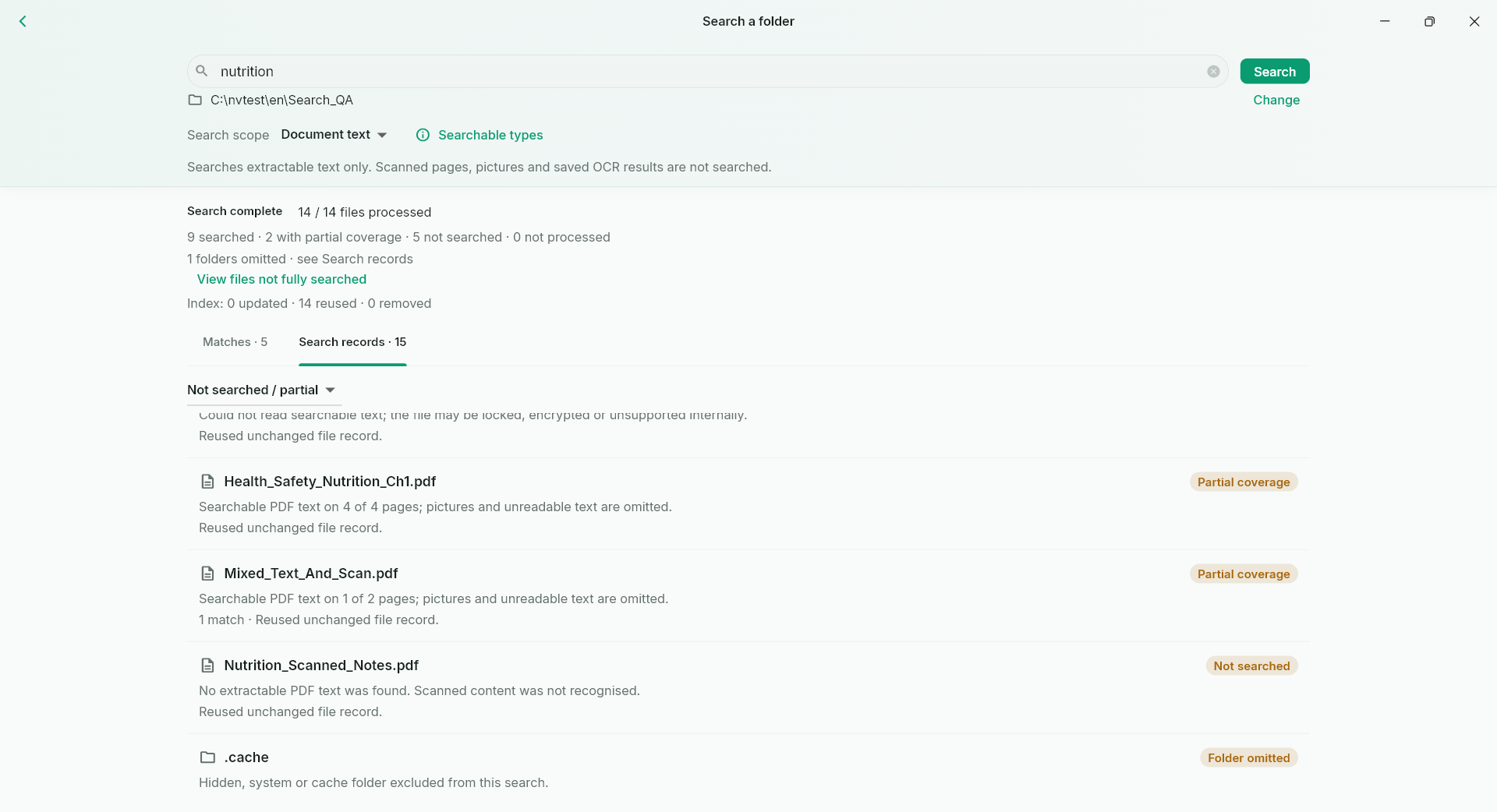
Search supported document text across a chosen folder and inspect matches in context. Standard provides a temporary content index; Pro can retain an index for repeated use. This helps turn a personal reference folder into something you can revisit by its ideas, while respecting the actual text-extraction range.
A PRACTICAL SEQUENCE
Start with the material you actually need.
Check representative material before deciding how much more to process.
- Choose the folder and the supported content-search workflow.
- Search a distinctive phrase or technical term.
- Open a match and confirm the surrounding passage.
EDITION & SCOPE
Know the scope before you commit.
Free searches filenames. Content search supports text-layer PDF, EPUB and supported Office/text formats; scans are not automatically OCRed. DjVu and some legacy Office formats are outside the range.
Free has no trial expiry: common-format reading, ordinary PDF annotations and supported ordinary document/image-to-PDF export remain available. Recognition, specialist formats and advanced tools have their own allowances or tier requirements.
Compare Free, Standard and Pro →Images may retain historical layouts. Demonstration books, dictionaries and media are not bundled.
A USEFUL QUESTION
Does 638-format viewing imply 638-format full-text search?
No. Viewing and text extraction have separate support ranges. Consult the format guide and the actual search workflow.
CONTINUE THE WORKFLOW
A useful next step.
Keep reading, understanding and organising around the same material.
OCR & phonetic symbols
Make scanned PDFs searchable
A scan can preserve a page perfectly while hiding every word from search. Months later, finding one term in a thick report becomes a manual page-by-page task.
Explore the workflow →Books & reading
Find a passage in a long book
You remember a phrase but not its chapter. Repeatedly scrolling through a long book can cost more attention than the passage itself, especially when you return to it days after reading.
Explore the workflow →