
NurViewer · Archives & containers
ISO disc-image browsing
An old software disc or reference collection is stored as ISO, but you only want to check a document inside. Preparing a virtual drive can be more setup than the inspection itself.
THE PRACTICAL VALUE
Why this step deserves its own workflow
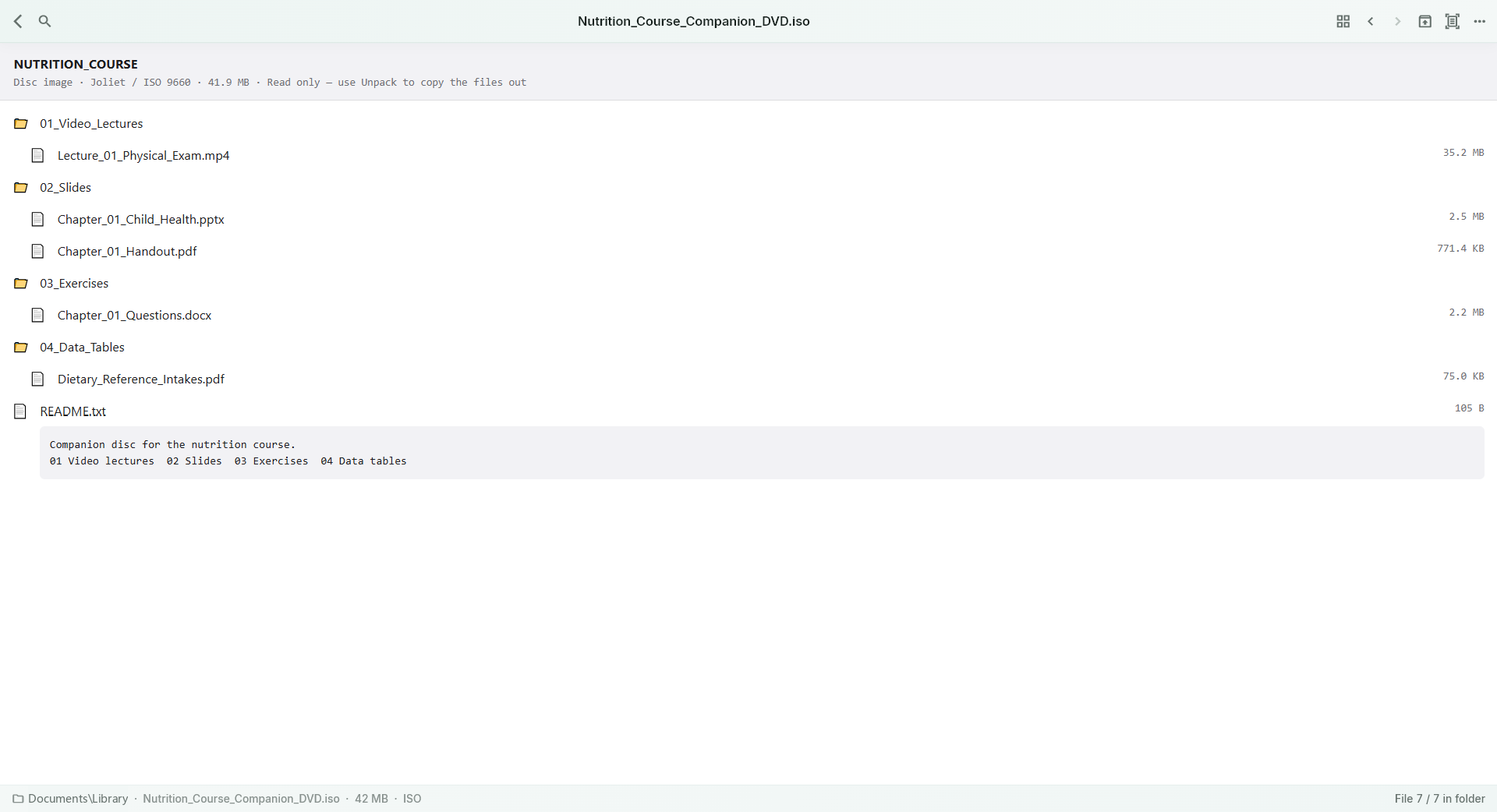
Use supported disc-image browsing to inspect the available file tree and reach supported content. It offers a file-inspection route for archived discs without turning the task into running the original installer. Keep the image intact while deciding which files are worth extracting or opening.
A PRACTICAL SEQUENCE
Start with the material you actually need.
Check representative material before deciding how much more to process.
- Open the supported ISO image.
- Browse its available directories and select a member.
- Inspect supported content or extract what you need.
EDITION & SCOPE
Know the scope before you commit.
Filesystem and image variants can limit browsing. Inspecting an image is not booting a disc, emulating a system or running its software.
Free has no trial expiry: common-format reading, ordinary PDF annotations and supported ordinary document/image-to-PDF export remain available. Recognition, specialist formats and advanced tools have their own allowances or tier requirements.
Compare Free, Standard and Pro →Images may retain historical layouts. Demonstration books, dictionaries and media are not bundled.
A USEFUL QUESTION
Does opening an ISO install the software inside it?
No. The browsing workflow is for inspecting files; installation is a different action.
CONTINUE THE WORKFLOW
A useful next step.
Keep reading, understanding and organising around the same material.
Archives & containers
ZIP, RAR & archive browsing
You receive a mixed package of documents and images, but only need one item. Unpacking the entire folder before seeing what is inside creates extra work and duplicate files.
Explore the workflow →Books & reading
CHM manuals
A product manual or programming reference may still be packaged as CHM. The file is useful because of its contents, even when its packaging belongs to an older generation of Windows software.
Explore the workflow →Archives & containers
Legacy ZIP filename encodings
A perfectly usable archive becomes difficult to navigate when its filenames appear as unreadable characters. Guessing names is especially frustrating in a scanned book or collection of similarly sized documents.
Explore the workflow →