
NurViewer · Books & reading
EPUB reader
A book should not feel like a folder of web pages. Long chapters, illustrations and footnotes can interrupt your concentration when the reading controls and the reference tools live in different applications.
THE PRACTICAL VALUE
Why this step deserves its own workflow
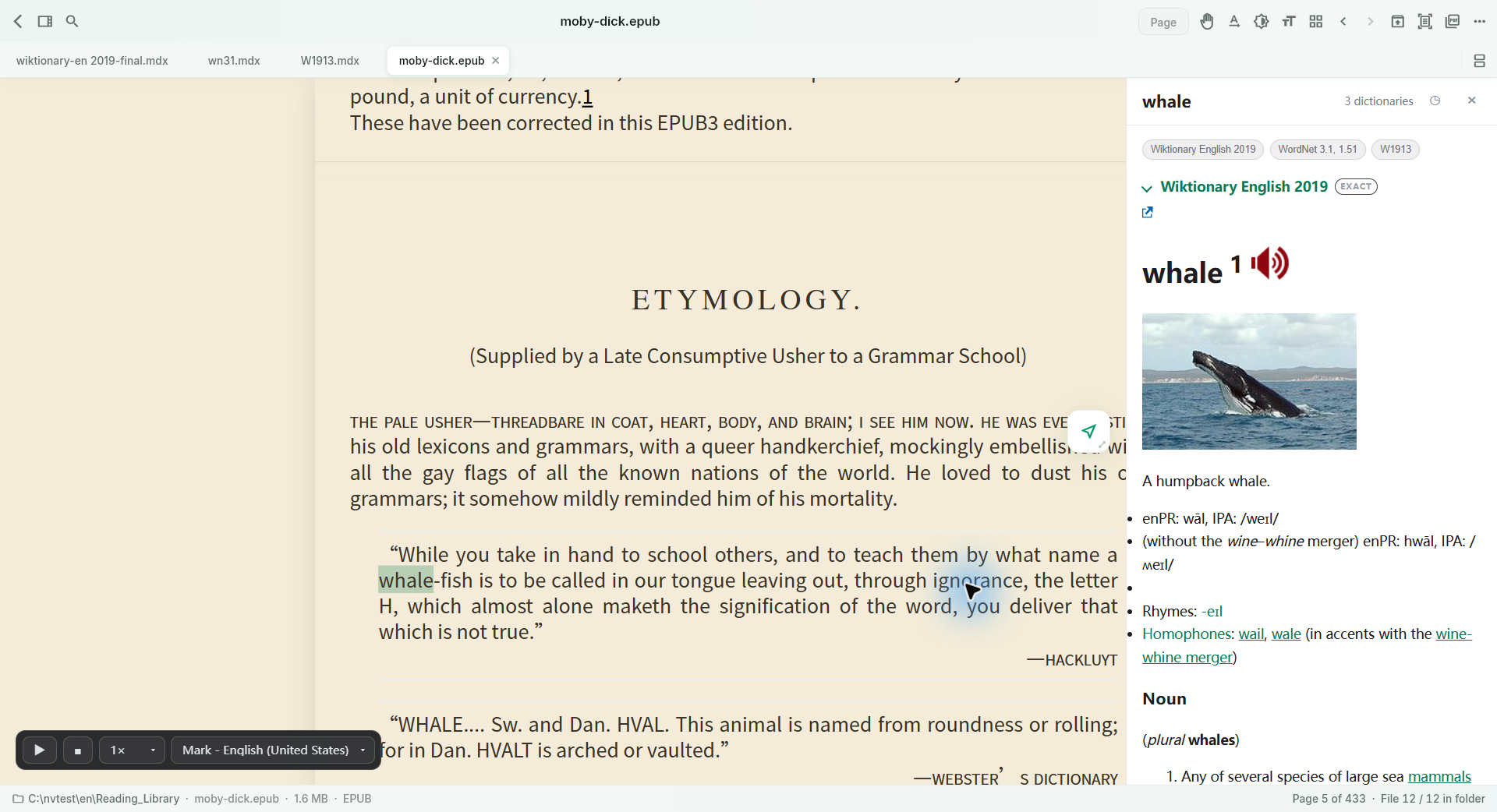
Read supported EPUB books with book navigation and reading settings, then look up a word without abandoning the text. For study, move the important passage into a reading note rather than repeatedly taking screenshots. The point is a continuous reading session with a place for the things you want to remember.
A PRACTICAL SEQUENCE
Start with the material you actually need.
Check representative material before deciding how much more to process.
- Open your own EPUB and use its contents to reach a chapter.
- Adjust the reading view, then select a word for local lookup.
- Keep useful passages in notes and export them when reviewing.
EDITION & SCOPE
Know the scope before you commit.
EPUB layout varies by publisher. DRM-protected books are not unlocked; book-search and reading tools vary across the other ebook engines.
Free has no trial expiry: common-format reading, ordinary PDF annotations and supported ordinary document/image-to-PDF export remain available. Recognition, specialist formats and advanced tools have their own allowances or tier requirements.
Compare Free, Standard and Pro →Images may retain historical layouts. Demonstration books, dictionaries and media are not bundled.
A USEFUL QUESTION
Do I have to convert an EPUB to PDF before reading?
No. Read supported EPUB files directly. Export to PDF when you need a fixed-page copy for a different purpose.
CONTINUE THE WORKFLOW
A useful next step.
Keep reading, understanding and organising around the same material.
Books & reading
Complex EPUB to PDF
A reflowable book is comfortable on screen, but page numbers move when the display changes. Printing selected material or sharing a stable reference is harder when an EPUB contains illustrations, tables or vertical text.
Explore the workflow →Dictionaries & knowledge
Long-form reading notes
A highlighted sentence is easy to collect and easy to forget. Real study also needs your explanation, an illustration, a comparison table and enough space to connect them.
Explore the workflow →Dictionaries & knowledge
Local dictionary lookup
A quick lookup becomes a distraction when it opens a browser, loses the sentence and gives definitions unrelated to the reference dictionaries you prefer. Technical and bilingual reading often needs a more deliberate choice of source.
Explore the workflow →